INSIGHTS / FIELD GUIDE
9 min read

Ask someone in marketing what social media content creation involves, and you might hear:
“Making videos, writing captions, and publishing posts.”
Those are all part of the job. But a brand has a few more questions to answer. Who are we making this for? Why would they stop scrolling? And once today’s post is out, what do we have worth sharing tomorrow?
We deal with these questions in our day-to-day social media work. Accounts need regular updates, and each post needs to give the right people a reason to notice the brand.
On our Walterwrites.ai project, we ran into a problem: we were still publishing, but views on the US accounts were falling. Here, we’ll walk through the account data and actual videos, then show how we approached the scripts, original video production, and publishing.
US Views Fell When We Had Hoped to Reach More People
Walterwrites.ai is an AI writing tool. Based on our experience with the project, summer and the weeks before the new school year were periods we wanted to make the most of. We had hoped the content would attract more viewers during that time.
The US results didn’t follow that pattern. Views fell in June, recovered somewhat in July, and weakened again in August. In the available September records, average daily total views were about 65% below July’s level.
The UK was moving in a different direction. Average daily total views rose by about 90% in August compared with July. In the available September records, they were roughly 160% higher than in July.

The chart shows changes in average daily total views relative to each market’s own July baseline. September uses the available records through September 17, rather than a full month.
That difference made us look more closely at the US accounts. We were promoting the same product, yet UK views were growing while the US accounts struggled to hold on to July’s recovery. Seasonality alone didn’t explain what we were seeing.
Account numbers and posting volume can also affect total views. Alongside the account records, we went back to the content itself. How often had we reused the footage? Were the captions still speaking to the people we wanted to reach? Could we produce enough fresh content to keep up with daily posting?
The Same Account Showed a Clear Difference Between July and August
We also looked at videos published in July and August on the same US account.
In the July screenshot, most videos had a few hundred views, commonly between 200 and 400. In August, every fully visible video in the screenshot had fewer than 30 views. Some had single-digit counts, and several showed zero. TikTok has also addressed duplication in its official explanation of the For You feed, stating that duplicated content is not recommended. That gave us another reason to examine the reused footage, though it doesn’t establish why these particular posts lost views.


These screenshots show selected posts from the same account during two periods. View counts are cumulative totals at the time of capture, not monthly averages.
The account was still posting about students, writing, and assignments, using the same general format of people on screen with text captions. But those posts were receiving far fewer views.
That led us to look at three problems in the way we were producing content.
The Same Footage Left Us Less and Less Room to Work With
When several accounts need daily updates, a batch of footage gets used quickly. At first, we could re-edit clips, change captions, and rearrange scenes to keep publishing. After a few rounds, though, the people, settings, and main actions were still the same. There was less left to change.
On this client’s US accounts, views declined while the footage continued to be reused. That made repetition a priority to investigate. Reworking the old videos was no longer helping us maintain the viewing levels we had seen before.
The accounts were still active, but each post was creating fewer opportunities for the brand to be seen. We needed fresh videos that gave us new ways to present the same product.
New Content Couldn’t Keep Up With the Posting Schedule
The most obvious way to get new footage is to arrange another shoot. But scripts, people, locations, filming, and editing all take time and money. The more accounts there are to update, the greater that pressure becomes.
When the next post is due and the new videos aren’t ready, the team goes back through the old footage. Over time, material that was meant to fill a temporary gap becomes the main source of daily posts.
That also limits what the brand can talk about. We might want to answer a new question or show the product to a different audience, but without suitable footage, the idea has to fit whatever material is available.
We needed an affordable way to keep producing original videos, with enough fresh material to support the posting schedule.
Did the Opening Make the Right Viewer Think, “That’s Me”?
The footage needed attention, but so did the scripts. A student revising an assignment and a job seeker working on a résumé may use the same writing tool, but they won’t necessarily respond to the same opening.
“This tool helps you improve your writing” describes the product. It says little about the viewer’s situation. “I’ve rewritten this three times. Why does it still not sound like me?” gives someone struggling with that problem a reason to pay attention.
Without that connection, viewers may scroll past before they learn anything about the product. Having the brand name on screen doesn’t necessarily mean people notice it.
We therefore looked again at who each script was speaking to, whether the first line addressed a relevant problem, and how naturally the product fitted into the conversation. Where available, watch time, completion rates, and comments could help us assess the response.
Together, these problems gave us a direction: keep producing original videos and make the scripts and scenes more relevant to the people we wanted to reach.
From Script to Publishing: How We Create Content That Helps Brands Get Seen
We combine AI-generated video with a UGC-style approach: everyday settings, natural gestures, and language that feels at home in a social feed. “UGC-style” describes the presentation here. The generated people do not represent actual customers sharing their experiences.
Here’s how we take that approach from a topic to a published video, using Walterwrites.ai as an example.
Step 1: Decide Who the Video Is For, Then Write the Opening
Before writing a script, try completing this sentence:
We want people who are currently ________ to watch this video and feel ready to ________.
For example, we might want students who already use AI writing tools, but find the wording unnatural, to take a closer look at Walterwrites.ai. That gives the script a specific audience and a purpose.
In one of our actual videos, we used these captions:
spent $300 trying to reach students
with walterwrites.ai
are you one of them?
did my ad finally find you?
The script turns our search for student users into a question the viewer can answer: “Are you a student? Did this ad finally reach you?”
If the person watching is a student, they have a reason to respond. The product name appears as part of that conversation.
The job of this video is to attract attention, so we leave room for a short question. A follow-up demonstration can explain how the product works.
When choosing a script, we look at whether the right viewer will recognize their own situation and whether the product fits naturally into the topic. If all they remember is an amusing question, with no idea how it relates to the product, the script still needs work.

Step 2: Turn the Script Into a Scene and an Action
Once we have the words, we decide where the person is, what they’re doing, and how their movement fits the captions.
A question aimed at students could work at a desk, on a sofa, outdoors, or in a stairwell. The setting matters, but so does the tone. Is the person asking seriously, or showing a little hopeful excitement at finally finding the right viewer?
For example, they might be looking down at their notes, then notice the camera, look up, and turn one palm upward as if waiting for an answer. A simple gesture can work with “are you one of them?”
When writing a prompt for MiniMax-H3, we describe the person, setting, movement, and camera angle. Here’s an example:
Create a photorealistic smartphone video with the casual feel of a creator filming between classes. An adult college student wearing a navy sweatshirt and beige trousers sits on a campus bench, holding a closed notebook. Trees and a brick building are visible in the background, with soft natural daylight.
Film from a slightly off-center, eye-level angle, as if a friend is holding the phone. Begin with the student looking down at the notebook, then noticing the camera. They raise their eyebrows, lean forward slightly, and briefly turn one palm upward as if asking, “Is that you?” End with a small, hopeful smile while maintaining eye contact. Keep the gestures subtle and the movement continuous.
Preserve natural skin texture, realistic hands, consistent facial features, and believable lighting. Use slight handheld movement without dramatic zooms, glossy filters, or exaggerated expressions. No computer screens are visible.
Display the following text from the first frame to the last frame, keeping all lines visible and unchanged:
“spent $300 trying to reach students
with walterwrites.ai
are you one of them?
did my ad finally find you?”Use clear white text with a thin black outline, positioned away from the face and hands and within comfortable margins. Preserve the exact spelling of “walterwrites.ai”. No additional text or spoken dialogue.

Some videos can share the same captions while using newly created scenes, people, and actions. When comparing those versions, we first decide what we want to learn. Does the question work better when the person looks straight at the camera, or when the video starts with an everyday action?
There should be a reason for each setting. It should feel familiar to the intended audience and give the conversation about the product a believable place to happen.
Step 3: Watch the Whole Video Before Deciding What to Publish
Once a video is generated, we watch it from beginning to end. A convincing first frame doesn’t tell us whether the movement will hold up.
Do the fingers change shape when the person raises a hand? Does an object stay consistent when they pick it up? Is the product name spelled correctly? Does the action distract from what the captions are saying?
If something is wrong, we can simplify the action or shorten the shot, then regenerate the relevant section. A person standing up, picking something up, and turning toward the camera may be doing too much at once. Having them stay seated and look up could work better.
We also check whether the video claims more than it should. Everyday situations can be staged, while descriptions of product features and results need to match what the product actually does.
This stage still takes time to review and revise. But compared with arranging people, locations, and reshoots, AI production reduces the coordination and expense of filming new versions.
Step 4: Give Each Post a Role in the Account
Once a video is ready, we decide which account it belongs on, who it is meant to reach, and what content should follow.
If every post repeats the product name without adding anything, viewers have little more to learn, even when the visuals change. We want to give the account more to say about the same product.
For a writing tool aimed at students, that could look like this:
Content direction | What the video could cover | What it gives the viewer |
A question or everyday situation | “I’ve rewritten this three times. Why does it still not sound like me?” | A problem they recognize |
A practical demonstration | Show a passage being revised and explain what changed | A clearer idea of how the product can help |
An answer to a common question | Address something viewers have asked in the comments | Information they still need about the product |
Each post can stand on its own, while the account gives interested viewers somewhere to learn more. Someone who visits the profile after seeing a question should be able to find a more specific explanation.
We support content creation and distribution across TikTok, YouTube, and Instagram, from a small group of accounts to the coordinated management of more than 2,000. Recording each video’s topic, version, account, and publication date also makes it easier to review the results later.
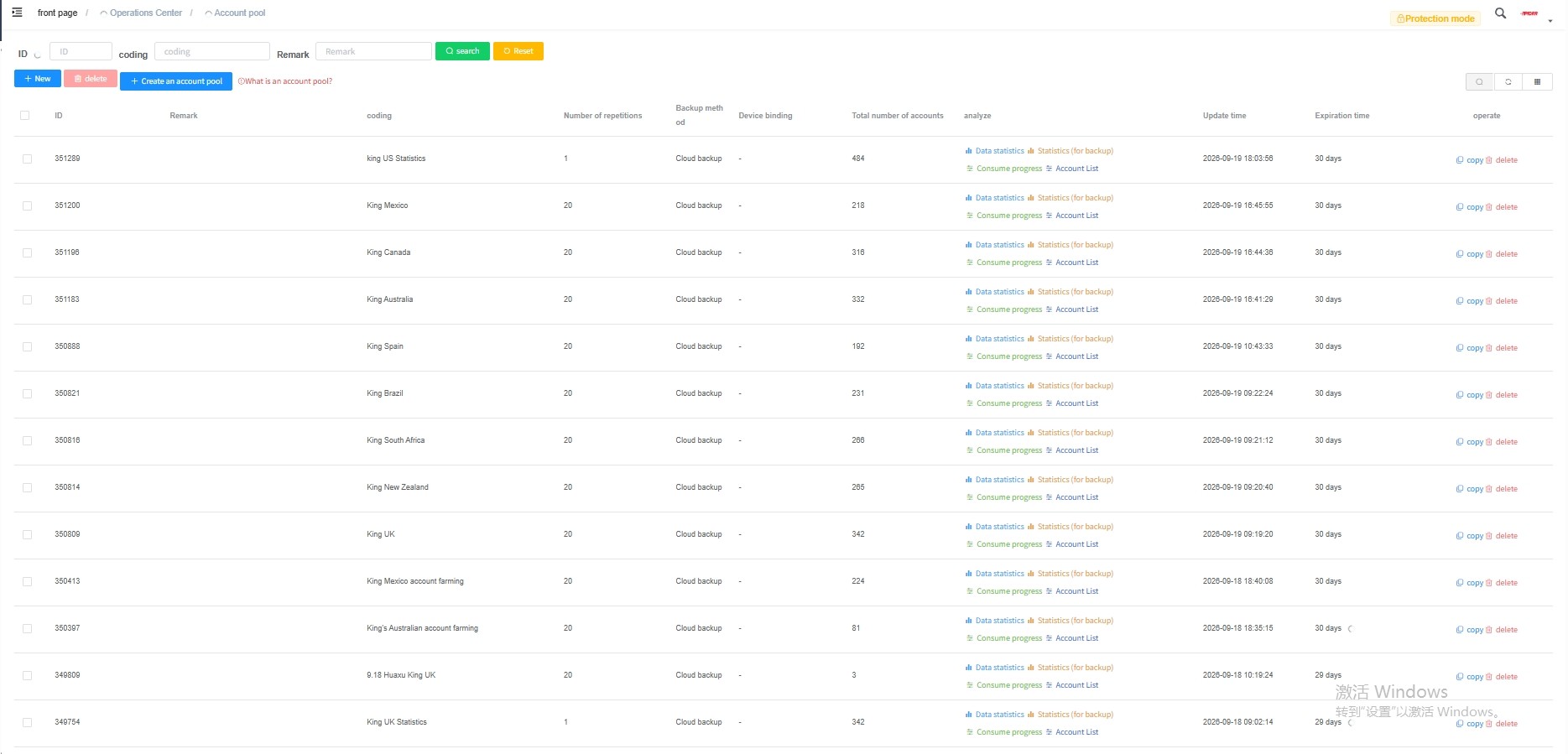

When managing several accounts, we pay particular attention to who each one is for. Content for students and content for job seekers can promote the same product, but the opening, setting, and problem should reflect the audience.
To keep this organized across accounts, teams need clear responsibilities, publishing schedules, and a shared way to review results. Our social media management guide explains how to bring those tasks together.
Step 5: Let the Response Guide the Next Videos
After publishing, we look at views and at what people say about the product.
A response to “did my ad finally find you?” tells us the question prompted interaction. If someone then asks what the tool does, a demonstration gives us a useful next post.
Where retention data is available, we return to the point where people leave. YouTube’s guide to audience retention explains that dips can show where viewers skipped a section or stopped watching. For videos published there, that gives us a specific moment to review: did the opening take too long, did the product appear without enough context, or was there too much text to read?
Profile visits, product-related comments, and trackable link clicks can also help us understand whether the content is attracting further interest. Views tell us how often a video was watched. Those next actions tell us more about whether people wanted to learn about the brand.
When comparing posts, we record publication dates and promotional spending and use similar observation periods where possible. That gives us a better basis for deciding which opening to keep and what information to add next.
For the wider process behind our TikTok publishing and reviews, see our TikTok marketing workflow. It covers account setup, audience research, posting schedules, and how we use performance data to plan the next round of content.
What Happened Across 20 Accounts and 319 Videos?
During a one-week test, we published 319 videos across 20 accounts. At the time of reporting, those videos had received 124,752 views, averaging about 391 views per video.
For context, here is how that compares with the client’s previous US content:
Content stage | Average views per video |
Previous US videos during their normal-performing period | Just over 110 |
Previous US videos during the decline | About 30–40 |
Newly created videos in this 20-account test | About 391 |

The new videos averaged more views than the client’s US content during the decline. They also exceeded the average recorded during its earlier, normal-performing period.
Results varied by account:
Account | Videos included | Total views |
Hannah Baker | 18 | 11,953 |
Wren Robinson | 14 | 9,274 |
Celeste Morris | 17 | 8,849 |

For us, this addressed two practical problems. The accounts had fresh material to publish, and that material received more views. Newly created videos could take the place of footage we had been searching through and re-editing.
Looking at the videos together makes the changes easier to see. The people, settings, and actions were different, and the openings were written with particular viewers in mind. All of those choices contributed to the new content. We can’t attribute the difference in views to a generation tool alone; account conditions, publication timing, and promotion may also have affected the results.
These figures count views. They show that the new content gave the brand more opportunities to be seen. Product visits, registrations, and usage need to be assessed through their own data.
Short on Fresh Content? Here’s Where to Start
Take a few recent videos and look at them alongside their captions and results.
Are they built from the same footage? Does the opening speak to a particular person? Can someone watching understand how the product relates to their own situation? If they visit the profile, what else can they learn?
Those questions help us decide whether to start with the scripts, create new scenes, or change how the content is organized.
If your team is dealing with repeated footage, high filming costs, or a posting schedule you’re struggling to maintain, send us your product details, account links, and a few existing videos. We can use those examples to discuss what to create next and how to publish it, so your brand has more worth sharing and the right people have more opportunities to get to know you.
Contact PIDRR to discuss your social media content plan.
NEED A PARTNER?
Talk with the PIDRR team about your next social strategy, content system or campaign.
Contact Our Team